
 In this posting I will show how to create Feedburner feeds based on queries in Word Press using the Feedburner plugins.
Begin by setting up your full site feed on Feedburner.
Next, modify the Feedburner plugin as described by Brad Grier here.
For each tag you want a feed for
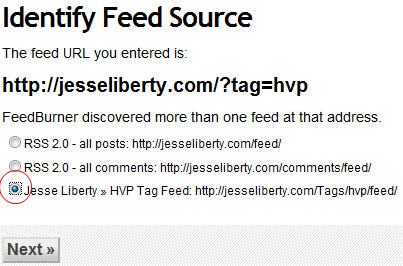
- Go to Feedburner and paste the full feed name in this format: jesseliberty.com/?tag=hvp
- Click Next
- Of the three choices, pick the third, with the specific feed
- Click Next
- Note the feed address that is provided for you on the next screen (e.g., http://feeds.feedburner.com/JesseLibertyHVP)
- On the final screen you can subscribe to that feed

That’s it, you’re done!


One Response to Tag-based Feeds