
TL;DR
Prompts allow you to manage the exact instructions your chat models receive and let apps pick those instructions at runtime.
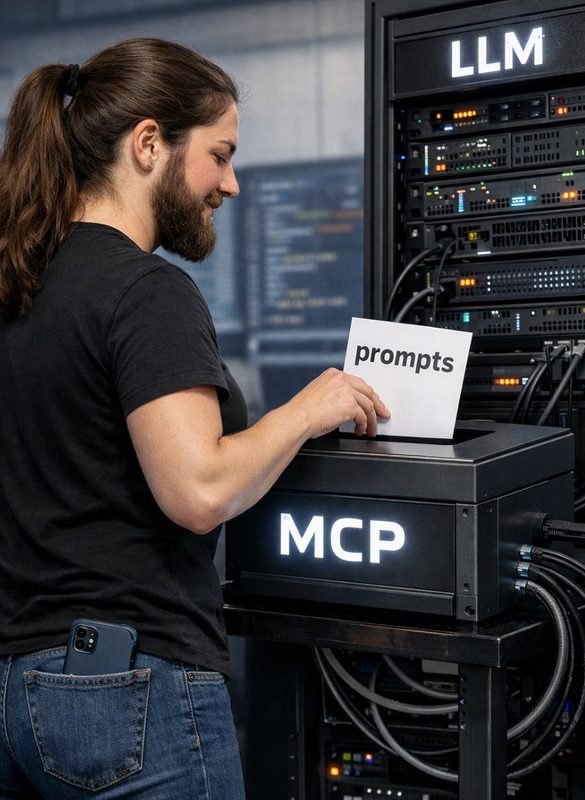
That’s the core value of “prompts” in the Model Context Protocol (MCP). MCP prompts let a server publish reusable, argument‑driven prompt templates that clients (including Microsoft Agent Framework agents) can discover, retrieve, and use in LLM chat calls—so behavior, UX, and auditing are consistent across apps.
Key terms (quick definitions)
- MCP server: a service that implements the Model Context Protocol and exposes tools, prompts, and resources to clients.
- Prompt template (MCP “prompt”): a server‑hosted, reusable instruction template that can accept named arguments and return one or more chat messages.
- Prompt arguments: named values (e.g., url, language, timeframe) supplied by the client when calling prompts/get.
- Prompt response messages: the chat messages (roles like system/user/assistant) returned by prompts/get that are ready to be appended to a model call.
- Resource messages: special messages in a prompt response that contain URIs or attachments (files, repo links) the model should consider.
Why MCP prompts matter for developers and product teams
- Central control: product teams can update a prompt template on the server and clients will automatically get the new behavior the next time they fetch it.
- Consistency: multiple agents and apps use the same instructions and checklists (e.g., compliance templates, code‑review checklists).
- Reusability: prompts are parameterized. One server prompt can cover many scenarios by taking arguments.
- Discoverability & UX: prompts/list lets clients surface available commands (slash menus, command palettes) rather than hardcoding instructions into each client.
- Auditability: when agents log which prompt and which arguments were used, teams can trace model behavior back to a server‑controlled template.
How prompts fit into the Microsoft Agent Framework
The Microsoft Agent Framework can connect to MCP servers at runtime. That allows an agent to:
- Call prompts/list to discover server prompts and show them to the user (for example, as a slash‑command menu).
- Prompt the user for required arguments (URL, code snippet, language).
- Call prompts/get (name + arguments) to fetch the populated template as chat messages.
- Append the returned messages to the chat history and send them to the LLM client (e.g., Azure OpenAI).
Because the prompt is server‑hosted, the server controls wording, embedded resources, and any instruction to call tools—clients only provide arguments and deliver the resulting messages to the model.
Typical flow (concise)
- Discover: prompts/list → display options.
- Select & collect args: user picks a prompt → agent collects required fields.
- Retrieve: prompts/get(name, args) → server returns promptContent.Messages and optionally resource messages.
- Use: append returned messages to your chat request and send to the model.
Sample prompts/get JSON (small example)
This is a minimal illustration of what prompts/get might return.
{
“messages”: [
{ “role”: “system”, “content”: “You are an expert summarizer. Focus on key findings and risks.” },
{ “role”: “user”, “content”: “Summarize the document at: https://example.com/report.pdf” }
],
“resources”: [
{ “type”: “uri”, “uri”: “https://example.com/report.pdf“, “description”: “Source PDF” }
]
}
C# examples (illustrative, practical, with error handling)
Notes: the exact MCP SDK namespace and method names vary by SDK version. The examples below follow common patterns used in the MCP quickstart and show how to map MCP messages into a chat client call. Replace transport/creation code with the actual constructors in your MCP SDK.
Install (example)
- Add an MCP client package (example package id: ModelContextProtocol.Client)
- Add your LLM client package (example: Azure.AI.OpenAI)
Example 1 — Summarize document (argument: url)
This example lists prompts, finds summarize-document, calls get with a URL, and sends returned messages to an Azure OpenAI chat client.
using System;
using System.Collections.Generic;
using System.Linq;
using System.Threading;
using System.Threading.Tasks;
using ModelContextProtocol.Client; // example package
using Azure.AI.OpenAI;
using Azure;
async Task SummarizeDocumentAsync(string documentUrl, CancellationToken cancellationToken = default)
{
try
{
// 1) Create MCP client (transport creation is SDK-specific)
var transport = /* create transport per your SDK: HTTP, WebSocket, etc. */;
var mcpClient = await McpClient.CreateAsync(transport, cancellationToken);// 2) List prompts}
var prompts = await mcpClient.ListPromptsAsync(cancellationToken);
var summarize = prompts.FirstOrDefault(p => p.Name == "summarize-document");
if (summarize == null)
throw new InvalidOperationException("Prompt 'summarize-document' not available.");
// 3) Call prompts/get with required arguments
var args = new Dictionary<string, object> { ["url"] = documentUrl };
var promptContent = await summarize.GetAsync(args, cancellationToken);
// 4) Map MCP messages to OpenAI chat messages
var openAiClient = new OpenAIClient(new Uri("https://your-azure-endpoint/"), new AzureKeyCredential("AZURE_KEY"));
var chatOptions = new ChatCompletionsOptions();
foreach (var m in promptContent.Messages)
{
chatOptions.Messages.Add(MapMcpMessageToChatMessage(m));
}
// Optional: append follow-up instructions from the user
chatOptions.Messages.Add(new ChatMessage(ChatRole.User, "Please keep the summary under 200 words."));
var response = await openAiClient.GetChatCompletionsAsync("deployment-name", chatOptions, cancellationToken);
Console.WriteLine(response.Value.Choices[0].Message.Content);
}
catch (RequestFailedException ex) when (ex.Status == 404)
{
Console.Error.WriteLine("Prompt not found: " + ex.Message);
}
catch (Exception ex)
{
Console.Error.WriteLine("Error fetching prompt or calling model: " + ex.Message);
throw;
}
static ChatMessage MapMcpMessageToChatMessage(McpMessage m)
{
var role = m.Role switch
{
  system" => ChatRole.System,
  "assistant" => ChatRole.Assistant,
  _ => ChatRole.User
};
  return new ChatMessage(role, m.Content);
}
Example 2 — Code review (arguments: code, optional language)
This example demonstrates sending a code snippet and language argument to a code_review prompt. The server might return a checklist system message plus resource URIs pointing to related files.
async Task CodeReviewAsync(string codeSnippet, string language = "csharp", CancellationToken cancellationToken = default)
{
var transport = /* create transport */;
var mcpClient = await McpClient.CreateAsync(transport, cancellationToken);
var prompts = await mcpClient.ListPromptsAsync(cancellationToken);
var codePrompt = prompts.FirstOrDefault(p => p.Name == "code_review");
if (codePrompt == null) throw new InvalidOperationException("code_review not available");

var args = new Dictionary<string, object> { ["code"] = codeSnippet, ["language"] = language };
var promptContent = await codePrompt.GetAsync(args, cancellationToken);

var openAiClient = new OpenAIClient(new Uri("https://your-azure-endpoint/"), new AzureKeyCredential("KEY"));
var chatOptions = new ChatCompletionsOptions();
foreach (var m in promptContent.Messages)
{
    chatOptions.Messages.Add(MapMcpMessageToChatMessage(m));
}

var response = await openAiClient.GetChatCompletionsAsync("deployment-name", chatOptions, cancellationToken);
Console.WriteLine(response.Value.Choices[0].Message.Content);
}
Practical tips (concrete, actionable)
- Validate arguments on the client: whitelist allowed languages, enforce URL schemes (https), and check length limits. Refuse or sanitize inputs that look like secrets.
- Prefer proxying or previewing third‑party resources instead of sending raw URIs to external servers. If you must share URIs, use signed, time‑limited links.
- Handle common error codes: 404 = prompt not found, 400 = missing/invalid args, 429 = rate limit; implement exponential backoff and circuit breakers.
- Cache prompt metadata: calls to prompts/list are relatively cheap but cache names/descriptions and refresh periodically to avoid UI delays.
- UI recommendations: present prompts in a command palette or slash‑menu; show required arguments and a small template preview before fetching; allow an editable preview so users can tweak arguments before sending.
- Embedded resources: if the prompt returns resource messages, decide whether to fetch the resource text (and include it in the chat) or attach a link. If fetching, enforce size limits and sanitize content.
- Versioning & breaking changes: because prompts are server‑controlled, add an ability to pin a prompt version (if the server supports it) or keep integration tests that validate prompt behavior after server updates.
- Audit and tracing: log prompt name + non‑sensitive args and add trace IDs/headers when calling MCP servers so you can correlate user actions and prompt outputs for debugging and compliance.
Security & operational specifics
- Redact secrets: never send API keys, passwords, or PII to a third‑party MCP server. Run argument sanitization and redaction on the client.
- Signed URLs: use expiring signed URLs when providing attachments to external servers; this limits exposure.
- Policy & approval: treat server‑hosted prompts as part of your product’s compliance surface. Establish a governance process for who can change server prompts.
- Headers & audit: follow the Agent Framework guidance for adding audit headers and tracing to MCP calls. Store logs of prompt usage (prompt name, timestamp, actor) with care for privacy.
Error handling & retries (short patterns)
- Use CancellationToken for timeouts.
- Retry transient errors (HTTP 5xx, 429) with an exponential backoff and jitter.
- Surface user‑friendly messages for 400/422 responses (missing args or invalid input) and guide the user to correct inputs.
Where to read next
- Model Context Protocol prompts spec: modelcontextprotocol.io (prompts/list and prompts/get shapes).
- Microsoft Agent Framework docs: on integrating MCP prompts and security guidance.
- .NET quickstart and MCP C# SDK samples: for precise types and SDK usage in production.

