Passing Parameters With Behaviors In MVVM Light for Windows Phone

Windows Phone From Scratch #20
MVVM Light Toolkit Soup To Nuts #5

In the previous posting in this series, we created a list of customers and we bound mvvm navigation them to a list box. We did this not in the code-behind but in the View-Model. This forces the question of how we respond when a user makes a selection in the list box, if the logic for handling the selection is to be not in the view (the code-behind) but in the view-model.

The answer will not be overly surprising to anyone who has been following this series; we’ll use a behavior to capture the selected value and pass the selection to the view model class.  The trick here is to use RelayCommand<T> rather than a simple RelayCommand.

Continue reading →

Posted in Mini-Tutorial, Patterns & Skills, Tools and Utilities, WindowsPhone | Tagged , | 9 Comments

Windows Phone From Scratch #19 – MVVM Light Toolkit Soup To Nuts #4

Let’s back up a bit and examine the day to day use of a View Model, and binding to the Glue Kid view model.  In this mini-tutorial I’ll show the basics of binding a collection that sits in a View Model to a list box in the view.  In the next, I’ll show how to capture the selection and, in the view model, determine what the details page should show.

Continue reading →

Posted in Patterns & Skills | 9 Comments

Entity Framework Code-First, oData & Windows Phone Client

Entity Framework Code-First is the coolest thing since sliced bread, Windows  Phone is the hottest thing since Tickle-Me-Elmo and oData is just too great to ignore.

As part of the Full Stack project, we wanted to put them together, which turns out to be pretty easy… once you know how.

EF Code-First CTP5 is available now and there should be very few breaking changes in the release edition, which is due early in 2011.

Note: EF Code-First evolved rapidly and many of the existing documents and blog posts which were written with earlier versions, may now be obsolete or at least misleading.

Code-First?

With traditional Entity Framework you start with a database and from that you generate “entities” – classes that bridge between the relational database and your object oriented program.

With Code-First (Magic-Unicorn) (see Hanselman’s write up and this later write up by Scott Guthrie) the Entity Framework looks at classes you created and says “if I had created these classes, the database would have to have looked like this…” and creates the database for you! By deriving your entity collections from DbSet and exposing them via a class that derives from DbContext, you “turn on” database backing for your POCO with a minimum of code and no hidden designer or configuration files.

POCO == Plain Old CLR Objects

Your entity objects can be used throughout your applications – in web applications, console applications, Silverlight and Windows Phone applications, etc. In our case, we’ll want to read and update data from a Windows Phone client application, so we’ll expose the entities through a DataService and hook the Windows Phone client application to that data via proxies.  Piece of Pie.  Easy as cake.

Continue reading →

Posted in Data, Essentials, Full Stack, Mini-Tutorial, Patterns & Skills, Tools and Utilities | Tagged , | 13 Comments

Snapshot

January 6, 2011 – quick snapshot of what I’m reading, listening to, watching…

Continue reading →

Posted in Patterns & Skills | 7 Comments

Windows Phone From Scratch #18 – MVVM Light Toolkit Soup To Nuts 3

This is the third part of the MVVM Light Toollkit Soup To Nuts (part 1 is here) withinwhisper the Windows Phone From Scratch Mini-tutorial series.  Today we look at an introduction to messaging as a tool for communicating, e.g., from the view-model to the view.

Continue reading →

Posted in Data, Mini-Tutorial, Patterns & Skills, WindowsPhone | Tagged | 21 Comments

The Full Stack #5 – Entity Framework Code First

Part 5 in the Full Stack series in which Jon and I are building an entire application from conception to delivery that includes MVC 3 ASP.NET, Silverlight and Windows Phone.


Get Microsoft Silverlight

Also available on Channel 9

Posted in Data, Full Stack, Patterns & Skills, WindowsPhone | Tagged | 1 Comment

Windows Phone From Scratch #17: MVVM Light Toolkit Soup To Nuts Part 2

This is the second part of the MVVM Light Toollkit Soup To Nuts (part 1 is here) withinhome change for a goldfish to a better place the Windows Phone From Scratch Mini-tutorial series.  Today we look at an introduction to behaviors as a tool for migrating event handling from code-behind to the View-Model.

Continue reading →

Posted in Blend, Data, Mini-Tutorial, Patterns & Skills, WindowsPhone | Tagged | 16 Comments

(WPFS) MVVM Light Toolkit: Soup To Nuts Part I

While I’m not a zealot on the topic, I do believe that MVVM offers one of the bestBreakthrough! patterns for Windows Phone development and so,   moving forward, the Windows Phone From Scratch series will incorporate MVVM in general, and the MVVM Light Toolkit in particular.

I’m more than convinced that MVVM is an essential pattern for Windows Phone Development; and while there are many excellent frameworks to make MVVM development easier, the one I personally prefer to work with is the MVVM Light Toolkit and so it is the one I’ll focus on.

Continue reading →

Posted in Patterns & Skills | 32 Comments

Yet Another Podcast #19 – Lisa Feigenbaum

Talking with Lisa Feigenbaum and Lucian Wischik about Programming Languages LisaFeigenbaum

– Microsoft® Visual Basic® CTP for Windows® Phone Developer Tools: http://go.microsoft.com/fwlink/?LinkID=201859

– Visual Studio® Async CTP for C# & Visual Basic®: http://msdn.microsoft.com/en-us/vstudio/async.aspx

– Productivity Power Tools: http://visualstudiogallery.msdn.microsoft.com/en-us/d0d33361-18e2-46c0-8ff2-4adea1e34fef?SRC=Home

Lisa Feigenbaum is a Community Program Manager for the Visual Studio Pro team, which includes Managed Languages (Visual Basic, Visual C#, Visual F#), IDE and Extensibility. She manages the Community program, including gathering customer feedback to drive product planning, as well as generating content such as videos, blogs, websites, and conference presentations. Lisa has been a member of the Visual Studio team since 2004. Before her current role, she was a Feature Program Manager for the Visual Basic Editor and Debugger. You can find Lisa on twitter at http://twitter.com/lisafeig and read her blog posts at http://blogs.msdn.com/lisa. Before joining Microsoft, Lisa earned an M.Sc. and B.A. in Applied Mathematics from Harvard University.

Lucian’s blog

Call in comments:  1-347-YAP-CAST

rss iTunes

Posted in Languages, Patterns & Skills, Podcast | Tagged | 2 Comments

Windows Phone From Scratch – Navigation II

In the previous WPFS we covered the basics of Navigation and the in the one before NavigationAnimationthat we covered the fundamentals of animation.  Let’s combine these two ideas to create a better navigation experience.

When we move from page 1 to page 2, a small amount of animation can make the experience more interesting and less confusing for the user.  For example, rather than having the first page be replaced instantly by the second page, we can animate the first page off and then have the second page revealed “behind” the first.

Continue reading →

Posted in Patterns & Skills | 1 Comment

Windows Phone From Scratch – Navigation

To navigate from one page to another, you can take advantage of the static NavNavigate method on the page’s read-only NavigationService property.  This passes your request to the NavigationService Singleton for your application, and greatly simplifies the navigation syntax.

A Quick Demo

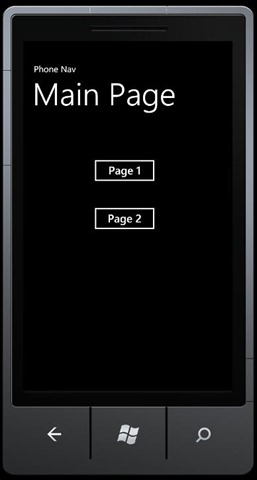
Demos should, in my opinion, be absolutely as simple as humanly possible, to keep the focus on the topic at hand.  In that spirit, we’ll create a new application with just three pages:

  • Main Page
  • Page1
  • Page2

Continue reading →

Posted in Patterns & Skills | 3 Comments

Windows Phone From Scratch – Animation

Animation in Silverlight is declared in Storyboards and triggered by a user’s 3d fon of fomaction, by a background action or process or, most commonly, by a change in state.  Thus an animation might be triggered by pressing a button, but more often the animation will ease the user’s perception of the transition from one state such as the mouse-over, to another, such as mouse press.

Outside of games, most animations are brief and fairly simple, but they can make a significant difference both to the sense of polish as well as to avoiding confusion for the user.

Continue reading →

Posted in Patterns & Skills | 4 Comments